


Why wait on hold for hours when you can file a car insurance claim online in 20 to 45 minutes and walk away with a claim number?
Filing online lets you upload photos, add police reports, and get a confirmation text fast.
I’ll show five simple steps: what to have ready, how to log in, fill the form, upload photos, and save your claim number.
By the end you’ll know exactly what to click, what to avoid, and a short checklist you can use right away.
Immediate Online Filing Steps for Fast Car Insurance Claim Submission

Filing online beats sitting on hold. You can start a claim, upload photos, and grab a confirmation number in 20 to 45 minutes through most insurer portals or mobile apps. Before you begin, grab your policy number, a quick summary of what happened, and a few clear photos. The system guides you through every field, and you’ll see your claim number plus when someone will reach out the moment you hit submit.
Log into your insurer’s website or app with your policy number and last name. A lot of carriers text or email a two-factor code, so keep your phone close. Once you’re in, look for “File a Claim” or “Start New Claim” (usually right on the home screen or tucked under a Claims tab). Pick your claim type: collision, comprehensive, glass, theft. Confirm your policy’s active. Type in when and where the incident happened, add details about other drivers, vehicles, witnesses. Upload your photos and anything else you have, like a police report or tow receipt. Double-check it all, submit, and screenshot the confirmation page with your claim number.
Here’s the quick version:
- Log in (2 to 5 minutes)
- Tap “File a Claim” and choose type
- Enter date, time, exact spot
- Add driver names, license numbers, VINs
- Write 1 to 3 short paragraphs on damage
- Upload 6 to 8 photos and any PDF receipts
- Select rental or towing reimbursement if you need it
- Submit and save your claim number plus confirmation screenshot
Most carriers confirm via email or text within minutes. An adjuster usually contacts you in 24 to 72 hours to set up an inspection or ask for more. Stash your claim number somewhere safe. You’ll need it to check status and talk to the adjuster.
Required Online Claim Documents and Photo Checklist

Insurers want specific documents and images so they can verify damage, identify everyone involved, and keep things moving without delays. Missing a key piece of evidence? The adjuster will circle back, which can tack on days. Get everything together before you open the form.
You’ll need your policy number, driver’s license number, vehicle registration, and insurance card. If police showed up, include the report number. Attach a tow receipt if your car got hauled. If you already have repair estimates, drop those in too. For injury claims, upload medical receipts or billing statements (one to five documents depending on treatment). Photos matter most. Insurers expect six to eight images showing damage from different angles, your vehicle identification number (VIN), license plates, and the scene around you. Use JPEG or PNG, and keep each file under 5 to 10 MB so uploads don’t stall or fail.
Photo and file requirements:
- 3 close-ups of each damaged spot (bumper, fender, door, hood)
- 2 wide shots showing the whole vehicle and context
- 1 VIN close-up (driver-side dashboard near the windshield)
- 1 license plate photo for your car and the other driver’s if visible
- Scene overview with skid marks, debris, road signs, traffic signals
- Odometer reading to confirm mileage when it happened
- Interior damage if airbags went off or seats/console got hit
- File naming like “2026-04-13_RearBumper.jpg” so it’s easy to read
- Geotagging or timestamp turned on in your phone camera if you can
- Keep originals saved for 90 to 180 days in case the insurer wants higher resolution or extra angles
Label files so adjusters can fly through them. Blurry or dark images slow everything down and might mean a follow-up inspection. If you shot video, save it as MP4 and upload it next to still photos. Some apps let you record a short walk-around, which can replace multiple static shots.
Accessing Your Insurer’s Online Portal or Mobile App for Claim Filing

Most major insurers let you file 24/7 through their website or mobile app. To start, you need your policy number (check your insurance card, billing statement, or policy docs). Never logged in before? Look for “Register” or “Create Account” on the insurer’s homepage. Type in your policy number, last name, date of birth, and email. The system sends a one-time passcode to your email or phone to verify who you are. This multi-factor step takes about 60 seconds and keeps your account locked down.
After login, the home screen usually shows active policies, upcoming payment dates, and a “File a Claim” or “Report an Incident” button. Some apps hide the claims option in a menu or under “Claims & Support.” Tap or click to begin. If you’re on the mobile app, it might ask for camera permissions so you can snap photos right inside the claim form. Say yes to speed things up. Whole login and navigation process runs two to five minutes if you’ve got your policy number ready.
Account Lockout and Identity Verification Steps
Wrong password three times in a row? Many insurers lock your account for 15 to 30 minutes or ask you to verify identity before trying again. Click “Forgot Password” and follow the reset steps sent to your email or phone. You’ll probably confirm your policy number, date of birth, and last four of your Social Security number. Some carriers throw in security questions you set during registration. Still locked out? Call the claims line printed on your insurance card. The agent can verify you over the phone and either file the claim for you or unlock your account so you can finish online. Screenshot your policy number and claims phone number. Keep it in your phone’s photos for quick access.
Detailed Online Claim Form Walkthrough for Accurate Submission

After you click “Start New Claim,” the portal or app walks you through a bunch of screens. The form grabs incident details, party info, vehicle data, damage descriptions, and attachments. Most insurers autosave your progress, so if your session times out or you bail, you can come back and pick up where you stopped. Budget 10 to 20 minutes on the form itself. Have all your documents, photos, and notes within arm’s reach so you’re not hunting halfway through.
Incident Details
First section asks for date and time of the loss. Use the exact format the form shows, often YYYY-MM-DD and 24-hour time (for example, 2026-04-13 14:30). Enter the precise location: street address, intersection, or GPS coordinates if you grabbed them. Lots of apps let you drop a pin on a map. Add weather from a dropdown (clear, rain, snow, fog) and road conditions (dry, wet, icy). These fields help adjusters understand what contributed. In the narrative box, write one to three short paragraphs explaining what happened in plain order: “I was stopped at a red light. The other driver rear-ended me at around 15 mph. My vehicle got pushed forward about two feet.” Short, factual statements work best.
Vehicles and People Involved
List every vehicle and driver. For your car, the form might auto-populate VIN and plate from your policy. For the other driver’s vehicle, type in make, model, year, VIN (if you got it), license plate, and state of registration. Add the other driver’s full name, phone number, insurance company, and policy number if they shared it at the scene. If the other party refused to give insurance details, note that in comments. Include passenger names and contact info if they saw the collision. For each person, say whether they claimed an injury. If a pedestrian or cyclist was involved, add their details in “Other Parties.” Accurate spelling and complete phone numbers prevent delays when the adjuster tries to reach witnesses or coordinate with the other insurer.
Damage and Coverage Selection
Describe damage in 50 to 100 words. Mention which parts of your vehicle got hit: front bumper, hood, windshield, driver-side door, rear quarter panel. If airbags deployed, check that box (signals potential frame or electrical damage). Note any fluid leaks, broken glass, or tire blowouts. If your car got towed, select “Yes” under towing and attach the tow receipt. Need a rental while repairs happen? Check the rental coverage box and confirm your policy’s daily limit and max days. Some forms let you pick a preferred repair shop from a network list, which can speed authorization. Already have a repair estimate? Upload it here as a PDF. Mention your deductible if the form asks (most run $250 to $1,000), but the adjuster will confirm the exact amount.
Uploading Files
The upload dialog usually takes JPEG, PNG, PDF, and sometimes MP4 video. Shoot for six to eight photos: three close-ups of damage, two wide shots, one VIN, one plate, one scene overview. Keep each file under 5 to 10 MB. Photo too big? Most phones let you resize before uploading. Label files clearly: “FrontBumper01.jpg,” “VINClose.jpg,” “PoliceReport.pdf.” Some apps have separate upload sections for photos, documents, and videos. If the form caps you at five photos, combine angles or email extras to the adjuster after submission. Attach the police report PDF if you have it, plus any medical receipts, tow invoices, or written witness statements. Double-check each file uploaded successfully (look for a green checkmark or thumbnail preview next to each filename).
Common form mistakes to avoid:
- Leaving the police report number blank when a report was filed
- Typing different spellings of the other driver’s name across sections
- Forgetting to note injuries, even minor ones, in the right checkbox
- Uploading photos with timestamps disabled, making it tough to verify the date
- Skipping the VIN or license plate photo, which delays vehicle ID
- Not saving a copy of the completed form or confirmation page
What Happens After You Submit an Online Car Insurance Claim

As soon as you hit “Submit,” the system generates a claim number and timestamp. Most insurers display this on a confirmation page and send an email or text within minutes. Screenshot that page and keep the claim number in your phone’s notes or snap a photo of the screen. You’ll use this number every time you call, email, or check claim status online. The confirmation message usually includes an estimated timeframe for next steps, typically “An adjuster will contact you within 24 to 72 hours.”
An adjuster or claims rep reviews your submission, verifies coverage, and decides whether to schedule an inspection. For minor damage like a cracked bumper or broken taillight, some insurers approve repairs based on your photos alone. For trickier claims, the adjuster calls to set up a virtual inspection (live video or guided photo session) or an in-person appraisal at a body shop or your place. Virtual inspections often happen within 24 to 48 hours. Physical inspections may take three to seven days depending on your location and the adjuster’s schedule. Once inspection wraps, the insurer issues a repair authorization or settlement offer. Minor claims with clear liability and straightforward repairs usually close in 7 to 14 days. Complex claims involving disputes, multiple vehicles, injuries, or total-loss evaluations can run 14 to 30 days or longer.
| Step | Typical Timeframe |
|---|---|
| Confirmation email or SMS with claim number | Immediate to 24 hours |
| Adjuster contact (call, email, or app message) | 24–72 hours |
| Virtual or physical vehicle inspection | 1–7 business days |
| Repair authorization or settlement offer | 7–30 days (varies by complexity) |
After the adjuster approves repairs, you can take your car to a network shop (often with direct billing) or a shop of your choice. If you use a network facility, the insurer might guarantee the work and handle payment directly. If you pick an independent shop, you’ll probably pay upfront and submit receipts for reimbursement, minus your deductible. For total-loss claims, the insurer calculates your vehicle’s actual cash value and subtracts your deductible, then issues a settlement check or electronic transfer. Keep all paperwork (repair invoices, adjuster emails, payment confirmations) for at least one year after the claim closes.
When Not to File a Car Insurance Claim Online

Online portals work well for straightforward property damage with clear facts and no immediate danger. Some situations need a phone call to your insurer’s emergency claims line or even a 911 call first. If anyone involved has visible injuries, severe pain, or needs medical transport, call 911 and then notify your insurer by phone as soon as it’s safe. Online forms aren’t built to handle active medical emergencies or coordinate ambulance dispatch.
Skip the online option and call your insurer right away in these cases:
- Serious injuries or fatalities. Any situation needing hospital care, ambulance transport, or reports of severe pain. The insurer needs to open a bodily-injury file and coordinate with medical providers and legal teams.
- Hit-and-run or theft. When the other driver fled the scene or your vehicle was stolen, police and criminal investigators need to be involved. Your insurer will ask for the police case number and may work with law enforcement to recover the vehicle or identify suspects.
- Vehicle blocking traffic or creating a hazard. If your car is stopped in a travel lane, on a freeway shoulder, or in an unsafe spot, call for immediate towing authorization and inform your insurer by phone so they can rush roadside assistance.
- Suspected total loss. When damage is so bad the vehicle can’t be driven or looks beyond repair, the insurer may need to arrange specialized towing and start a total-loss appraisal right away rather than waiting for online photos.
- Multi-vehicle crashes with disputed liability. Accidents involving three or more cars, conflicting stories, or potential fraud need detailed recorded statements and coordination with other insurers. Phone intake lets the adjuster ask follow-up questions in real time.
- No internet access or inability to upload documents. If you’re in a remote area with lousy cell service, your phone’s damaged, or you don’t have digital copies of required docs, calling the claims line keeps you from missing reporting deadlines.
Even if you call first, the insurer may still ask you to complete an online supplement or upload photos later. That’s normal. The phone call opens the claim file and starts the clock. The online follow-up adds the supporting evidence.
Preventing Mistakes When Filing a Car Insurance Claim Online
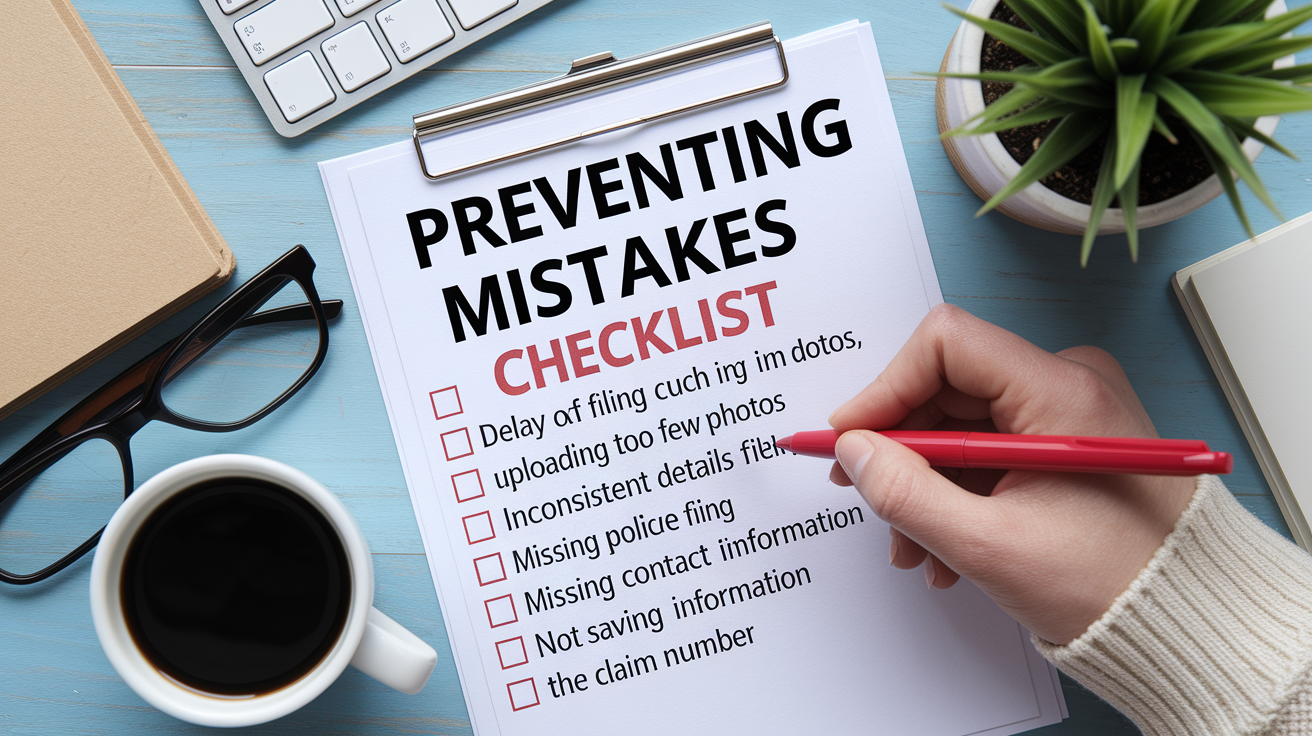
Small errors in online claim forms can delay adjuster contact, slow repair authorization, or even raise coverage questions. The most common mistake is waiting too long to file. Insurers expect notification within 24 to 72 hours of an accident. Wait a week, and the adjuster may struggle to verify details or reach witnesses. Memories fade. Physical evidence like skid marks or debris disappears. Report the claim same day or next morning whenever possible.
Photo quality matters more than most people think. Blurry, dark, or single-angle shots force the adjuster to request a second inspection, which adds three to five days to your timeline. Take photos in good lighting, step back for wide shots, and move in close for damage details. Capture the VIN and license plate clearly. If the adjuster can’t read the plate number, they’ll contact you for clarification. Another frequent error is admitting fault in your narrative or on social media. Stick to facts: “The other vehicle struck my rear bumper while I was stopped.” Don’t write, “I should have checked my mirror,” or post about the accident on Facebook before the claim closes. Insurers and opposing parties can use those statements against you.
Six mistakes that slow or complicate online claims:
- Delaying filing beyond 72 hours. Late reporting can trigger coverage investigations or give the other party time to change their story.
- Uploading fewer than six photos or using poor image quality. Adjusters can’t assess damage from one blurry shot and will schedule an in-person inspection.
- Writing inconsistent details. If your form says the accident happened at 3:00 PM but the police report says 3:30 PM, the adjuster will ask you to clarify.
- Forgetting to include the police report number. If a report was filed, add the case number. Insurers pull the official report to verify your account.
- Skipping other driver or witness contact information. Incomplete data forces the adjuster to track down missing details, delaying subrogation or settlement.
- Failing to save your claim number or confirmation screenshot. Without the claim number, you can’t check status online or reference the claim when you call.
Review every field before you submit. Most portals show a summary page where you can verify dates, names, and uploaded files. Spot a mistake after submission? Log back into your account and look for “Update Claim” or “Add Information.” Many insurers let you attach new photos or correct minor details without opening a new claim. If the portal doesn’t allow edits, call the adjuster directly once they contact you and explain the correction. Small errors are fixable, but they’re easier to prevent than to fix after the fact.
Final Words
Start by logging into your insurer’s app, enter the basic incident details, upload 6–8 photos and docs, and submit to get an instant claim number and timestamp.
Have your policy number, driver’s license, VIN, and police report ready. Expect an adjuster in 24–72 hours, a virtual inspection in 24–48, and most minor claims settled in 7–30 days. Call if there are injuries, theft, or complex issues.
Use this step-by-step approach when you learn how to file a car insurance claim online, and you’ll move faster, avoid mistakes, and get repairs started sooner. You’ve got this.
FAQ
Q: What is the fastest way to file an auto insurance claim?
A: The fastest way to file an auto insurance claim is to use your insurer’s app or website: log in, enter basic incident details, upload 6–8 clear photos and key documents, then submit for an instant claim number.
Q: What not to say when filing an insurance claim?
A: When filing an insurance claim, don’t admit fault or apologize, avoid guessing details, and don’t give legal opinions; stick to facts, injuries, and damage. Save your exact words and ask to review the report.
Q: Can I file an auto insurance claim online?
A: You can file an auto insurance claim online using most insurers’ website or mobile app: create an account with your policy number, answer the incident questions, upload photos/docs, and get a claim number instantly in many cases.
Q: What’s the biggest mistake people often make when dealing with an insurance claim?
A: The biggest mistake people often make when dealing with an insurance claim is delaying filing; waiting more than 72 hours can hurt coverage or evidence. File quickly, save the claim number, and take clear photos right away.